|
First thing in
customizing a ped is realizing which files you want to
change. Here is a table with some common peds found in
Carmageddon and the associated PIX files that go with
them:
|
PIX
File
|
Pedestrian
Ref. #
|
Description
|
|
NIK.PIX
|
Pedestrian
#1
|
Long haired
hippie
|
|
BUS.PIX
|
Pedestrian
#2
|
Business
bitch
|
|
FAT.PIX
|
Pedestrian
#3
|
Fat
bloke
|
|
ANN.PIX
|
Pedestrian
#4
|
Woman in
yellow jacket
|
|
PER.PIX
|
Pedestrian
#5
|
Carjacker
|
|
PRS.PIX
|
Pedestrian
#6
|
Another
woman scantily dressed
|
|
TON.PIX
|
Pedestrian
#7
|
Business
bloke
|
|
CAM.PIX
|
Pedestrian
#8
|
Ohhh lahh
lahh
|
|
CWO.PIX
|
Pedestrian
#9
|
Intel Bunny
reject
|
|
CW1.PIX
|
Pedestrian
#10
|
Lame
construction worker
|
As you can see,
there are quite a variety of peds to work with, a total of
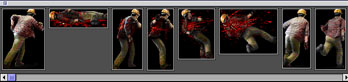
about 31 in all to change or modify. Each ped file, when
opened with Carmagedit, will look similar to
below:
In fact, each ped is
merely a series of frames that animate while the game plays
depending on the relative location of the vehicle to the
ped. Notice that the frames vary in size. It is of utmost
importance that you remember this when editing as you cannot
import a larger frame into a smaller one (although smaller
ones will fit in larger ones, with strange
results...)
We find it more
convenient to create a folder on the desktop with a
duplicate of the PIX file we're working on that way all the
exported frames are together with the file being worked
on.
Open your chosen PIX
file with Carmagedit, then export each frame into the folder
you just created. Make your changes to the exported frames
in your paint program and re-save them as 256 color PICT and
then import back into Carmagedit. Keep in mind that there
are "two" colors of black....0 Black, which is invisible,
and 240 Black, which shows up as black. Save the PIX file
and quit. Drop the modified PIX file into the PIXELMAP
folder after renaming the original, then start Carmageddon
and take a look.
If you see through
areas that you didn't intend to, then you've painted in 0
black instead of 240 black. CoffeyCup knows a trick on how
to get around this, and I'll post it soon.
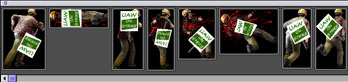
Most likely, things
won't look quite right, so make another screensnap of the
edited ped to help guide you where to correct problems. With
some trial and error, you'll eventually get it.
Downloading peds
that others have made can be a help also. Check out our custom Peds page.
|