|
Once you've edited
your ped and saved it, surely you'll want to include it in a
race or two. If you simply reuse a file in the game (say
CW1.PIX as we changed the construction worker into a
striking auto worker) then things are easy and you'll simply
need to drop the modified PIX file into the
carma\data\pixelmap directory. But, there's more you can do
than simply changing graphics.
For example, you can
add customized sounds. Now, keep in mind that most sounds
and screams are generic, so the easiest one to so this with
is the old lady with the walker. She uses the ZIM.PIX file
for her images and uses the INWAR.WAV file for her sound.
Simply make your ped replacement then using appropriate
software make a custom WAV file to go with it. The Bill Clinton Ped is an example.
Another way to have
fun is changing paths for peds or actually adding more to a
track. To begin with, look at the following information
snipped from a typical race text file:
|
CITYC1.TXT//
****** START OF PEDESTRIAN STUFF ******
|
- 749
- -------------
- 3
- 6
- 3
- point
-4.233,-3.269,-36.048
- point
-4.181,-3.269,-36.609
- point-8.523,-3.269,-38.232
- point24.663,-3.269,-42.206
- point
24.694,-3.269,-42.531
- reverse
-
- 6
- 4
- 2
-
- point
-23.767,-3.269,-46.177
- point
-8.785,-3.269,-38.653
- point
-8.306,-3.269,-36.549
- reverse
|
- //Number
of pedestrians
- //
Pedestrian number 1
- // Ref
num
- //
Number of instructions
- //
Initial instruction
-
-
-
-
-
-
- //Pedestrian
number 2
- // Ref
num
- //
Number of instructions
- //
Initial instruction
|
|
Continuation
of Pedestrian Section
|
To make sense of all
this, here is a brief explanation of each
section.
|
CITYC1.TXT//
****** START OF PEDESTRIAN STUFF ******
|
|
749
|
//Number of
pedestrians
|
|
|
Total
number of peds, land mines, and barrels found in
the race
|
|
-------------
|
//
Pedestrian number 1
|
|
|
Relative
ped number, not important
|
|
3
|
// Ref
num
|
|
|
A reference
to the PEDESTRN.TXT file that tells Carma which PIX
file to load and how the ped animate
|
|
6
|
// Number
of instructions
|
|
|
Tells how
many paths the ped follows....add number of points
and add 1 for "reverse" to get the total
|
|
3
|
// Initial
instruction
|
|
|
Initial
starting point for ped...home, so to speak, or
default location...see below
|
- point
-4.233,-3.269,-36.048
- point
-4.181,-3.269,-36.609
- point-8.523,-3.269,-38.232
- point24.663,-3.269,-42.206
- point
24.694,-3.269,-42.531
- reverse
|
- Coordinates
in (x,y,z) that give the location of points peds
move to...think of them as like bases in
baseball.
- Reverse
changes direction.
|
Continuation
of Pedestrian Section
After looking at the
points above, you might wonder where in the world those
strange coordinates come from. Well, if you have a number
one ranking, you can find out by starting a race, then
pressing "I" which if it works will display some numbers on
the screen, giving frames per second, a set of three numbers
that is the relative location of the car in (x,y,z),and
total "miles" driven. The set of numbers in the parenthesis
is what you want. Copy them down, then move to another
location, keeping in mind that peds cannot go through
buildings (actually they will if you don't make their paths
from one corner to another....) and that the paths must
change course just as your car did to go from the starting
point to the finish point. Now, quit and open the same race
text file in your favorite text editor. Scroll down to the
last section of the pedestrians and copy and paste another
ped section in. Replace the coordinates in the pasted
section with the points you jotted down, choose which point
will be your starting point, and make that reference where
it say "initial starting point." Change the number of
instructions to match the number of points you jotted down,
remembering to add +1 when you figure in "reverse." Finally,
choose a predestrian to be found in that spot by looking at
the PEDESTRN.TXT file in your text editor. Keep in mind that
pedestrians 100-145 are actually barrels, and pedestrian 146
is a land mine, so those are fair game also, except that if
you plan to add those things, you'll only need one point of
reference instead of several.
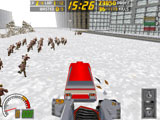
Make'em go
left....
|
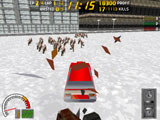
...or
make'm go right.
|
Making cows
fly?
Yep. Typically the
center coordinate will likely be the same in the set you jot
down, unless you're going up a hill. If you're on flat land
though, try adding 0.500 to the center coordinate for each
point you wrote down as you edit the new pedestrian path. If
you're successful, you'll see your ped defy gravity as they
escape your wrath.
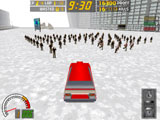
Ready for
action!
|
A final fun thing
that take lot's of patience is making a large crowd. This is
done by choosing a starting point and ending point, then
adding pedestrians one at a time and either adding 0.500 to
the x or z coordinates. Download the Strike Buster patch on
the main page to see this in action. Note: adding less than
0.500 to each x or z coordinate results in peds that aren't
spaced properly and tends to crash Carmageddon, so be
careful.
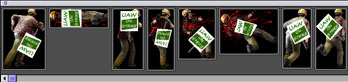
This concludes the
basic section on ped editing. If we come across more
information, we'll be sure to post it.
|